

Everything in IntelliCall AI 13.5
All of it is in the source code you buy, shown here in the product itself. A tag marks the version that added a feature; untagged ones have been there since the first releases.
- features
- 50
- integrations
- 45
- voice engines
- 5
- languages on Gemini Live
- 97
Voice agents and engines
Each agent has its own voice engine, voice, language and prompt.
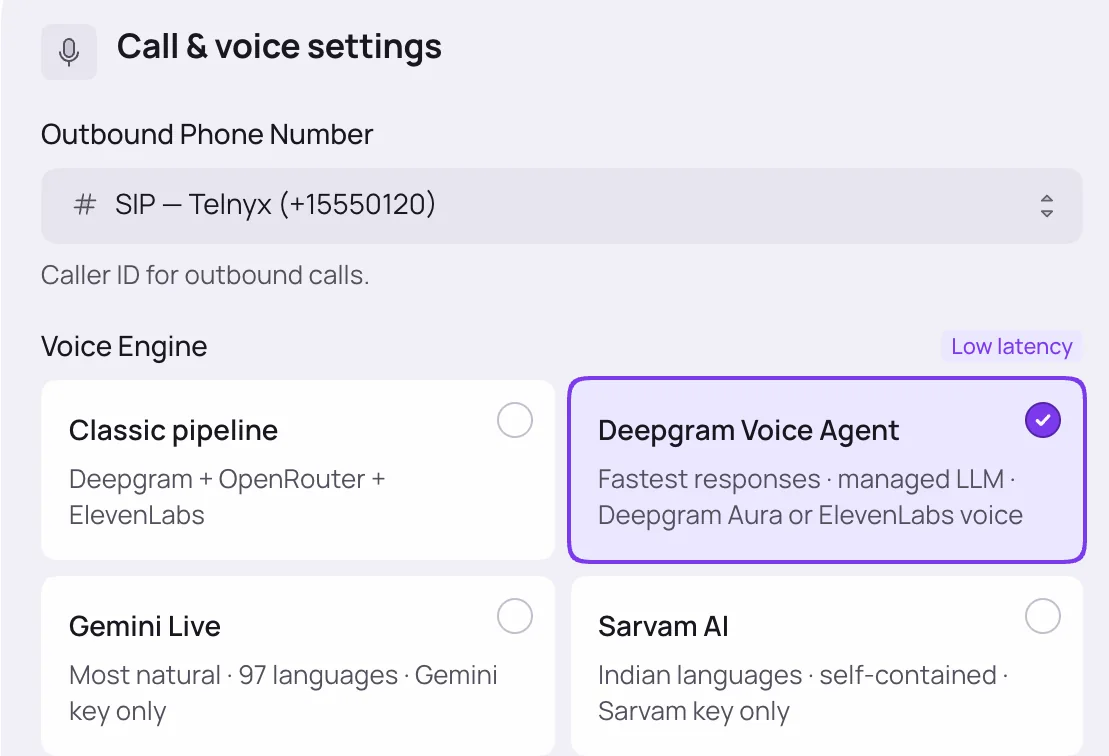
Five voice engines, chosen per agentv10.0
Classic (Deepgram speech recognition, any LLM through OpenRouter, ElevenLabs voices), Deepgram Voice Agent, Gemini Live, Sarvam AI and Twilio Standard.
Gemini Live in 97 languagesv11.0
One Google model hears, thinks and speaks, with 30 voices and an auto-detect mode that follows the caller's language. Runs on SIP numbers.
Sarvam AI for Indian languagesv10.0
Hindi, Bengali, Gujarati, Kannada, Malayalam, Marathi, Odia, Punjabi, Tamil, Telugu and Indian English, on one Sarvam key, with realtime speech recognition.
Deepgram Voice Agentv10.0
About 0.5 to 0.8 seconds from the caller's last word to the agent's reply, with ElevenLabs or Deepgram Aura voices and multilingual Flux recognition.
ElevenLabs voice libraryv11.9
Pick from your own ElevenLabs voices or native Voice Library voices for the agent's language; picked voices are added to your account.
Voice quality presetsv10.9
Fast, Balanced, Natural or Expressive per agent, or set stability, similarity, style and speed yourself.
Turn-taking controlsv10.9
Endpointing, silence tolerance and interruption sensitivity per agent. Coughs and line noise don't cut the agent off; a short "okay" doesn't either.
Agent templatesv7.0
Ready-made sales, support, booking, outreach and healthcare agents with prompts and opening lines, in several languages.
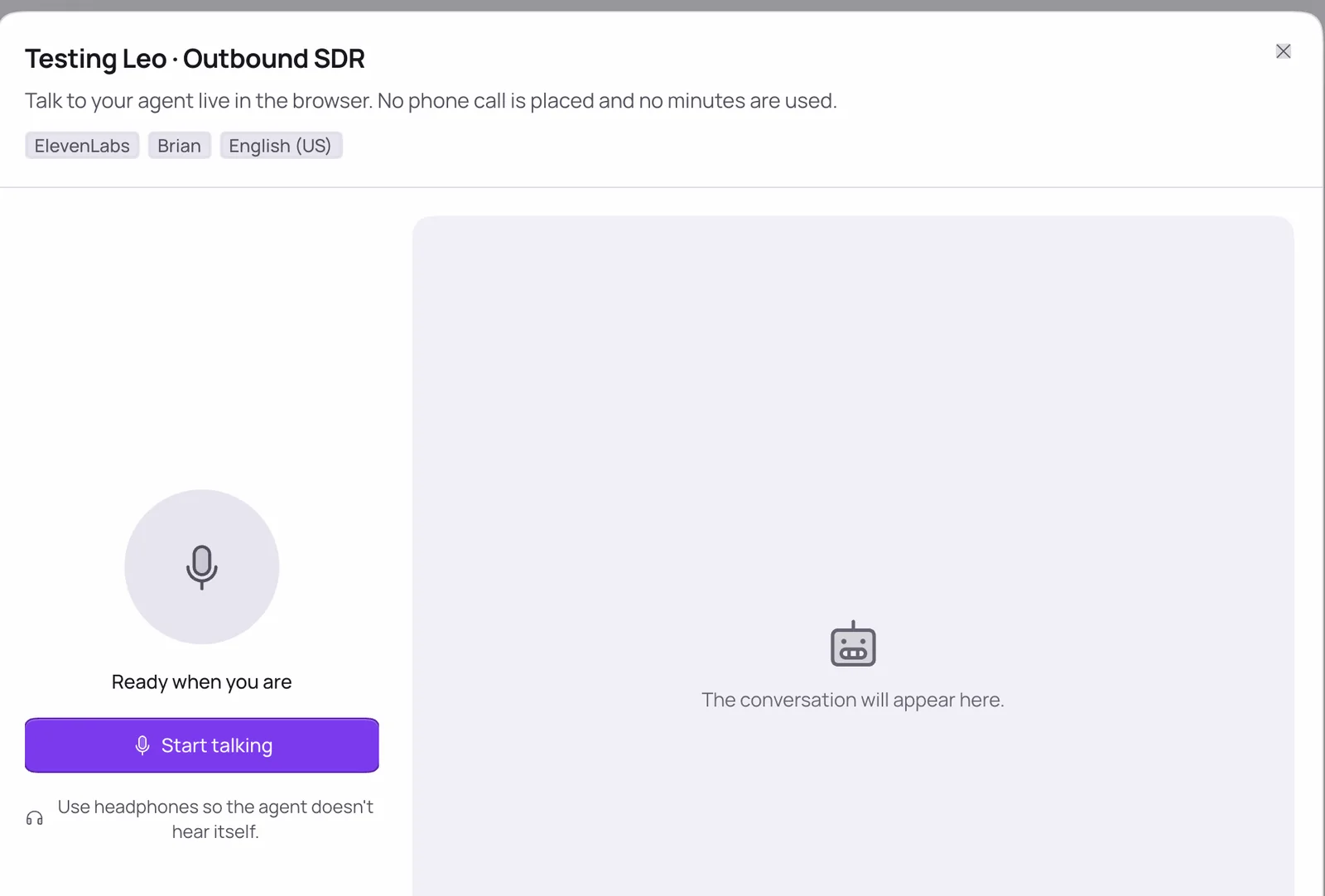
Test in the browserv11.0
Talk to any agent through your microphone with a live transcript, using its real engine, voice, knowledge and booking. No phone line and no call minutes.
Agents end calls themselvesv10.5
The agent hangs up when the conversation is over, and a connected call with no speech for five minutes ends on its own.
Inbound and outbound calls
Answer every call, dial lists of leads, and call new leads the moment they sign up.
Inbound answering, 24/7
Assign an agent to a number and it answers every call, with a fallback number when no agent is set.
Outbound campaigns
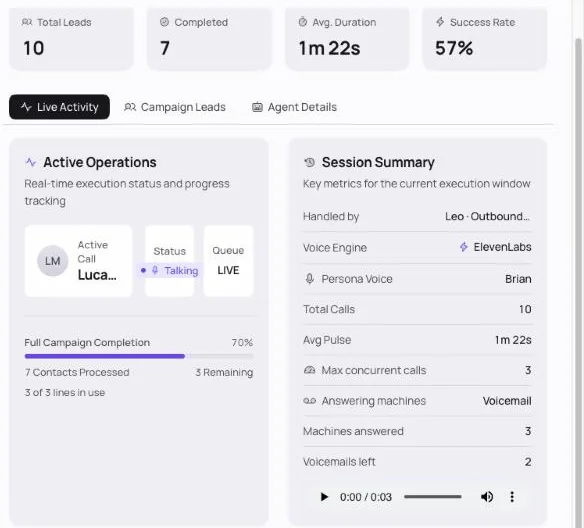
Pick an agent and a list of leads, schedule it, and the platform dials them, with live progress and a completed alert.
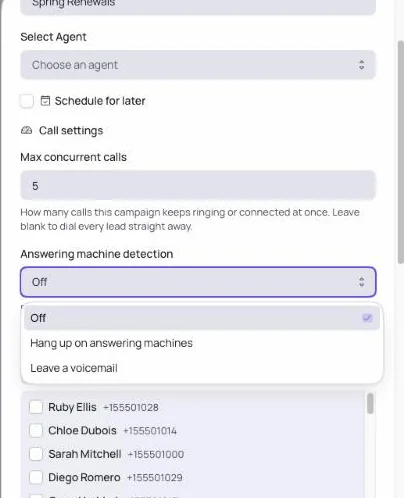
Max concurrent callsv13.5
Set how many campaign calls ring or talk at once. The next lead is dialled as each call ends.
Answering machine detectionv13.5
Hang up on machines, or leave a voicemail you upload or record in the browser. Works on Twilio and SIP.
Human transferv11.5
The agent puts the caller through to reception, sales or a named colleague. If nobody answers, the caller returns to the agent mid-conversation.
Instant AI call APIv9.5
POST /api/calls/dial calls one number with a chosen agent right away, so a form submission becomes a call within seconds.
Personalised callsv10.0
Add any lead field, such as {{appointment_date}}, and use it in the opening line and prompt. It's filled in for every call.
Call duration limitsv5.0
Inbound and outbound calls hang up automatically at the limits you set.
Things agents do during a call
Agents act on what the caller says, not only answer.
Appointment bookingv5.0
The agent checks availability and books a slot mid-call, synced to Google Calendar, then confirms and reminds over WhatsApp.
Knowledge basev5.0
Upload documents or import a website by URL, and the agent answers from them.
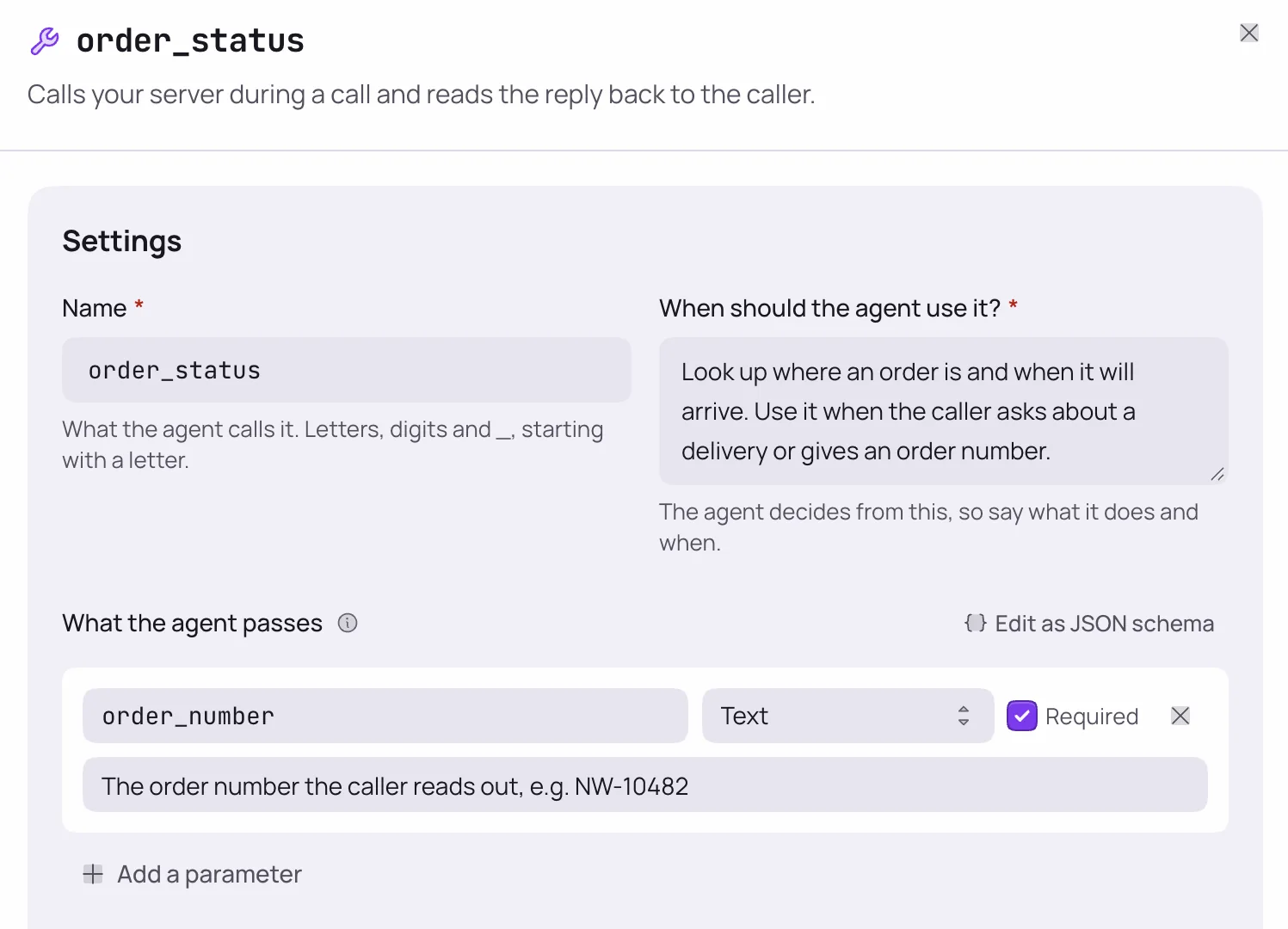
Webhook toolsv13.0
Define a tool with fields and your own endpoint. The agent calls it mid-call to look up an order, check stock or open a ticket, on every engine.
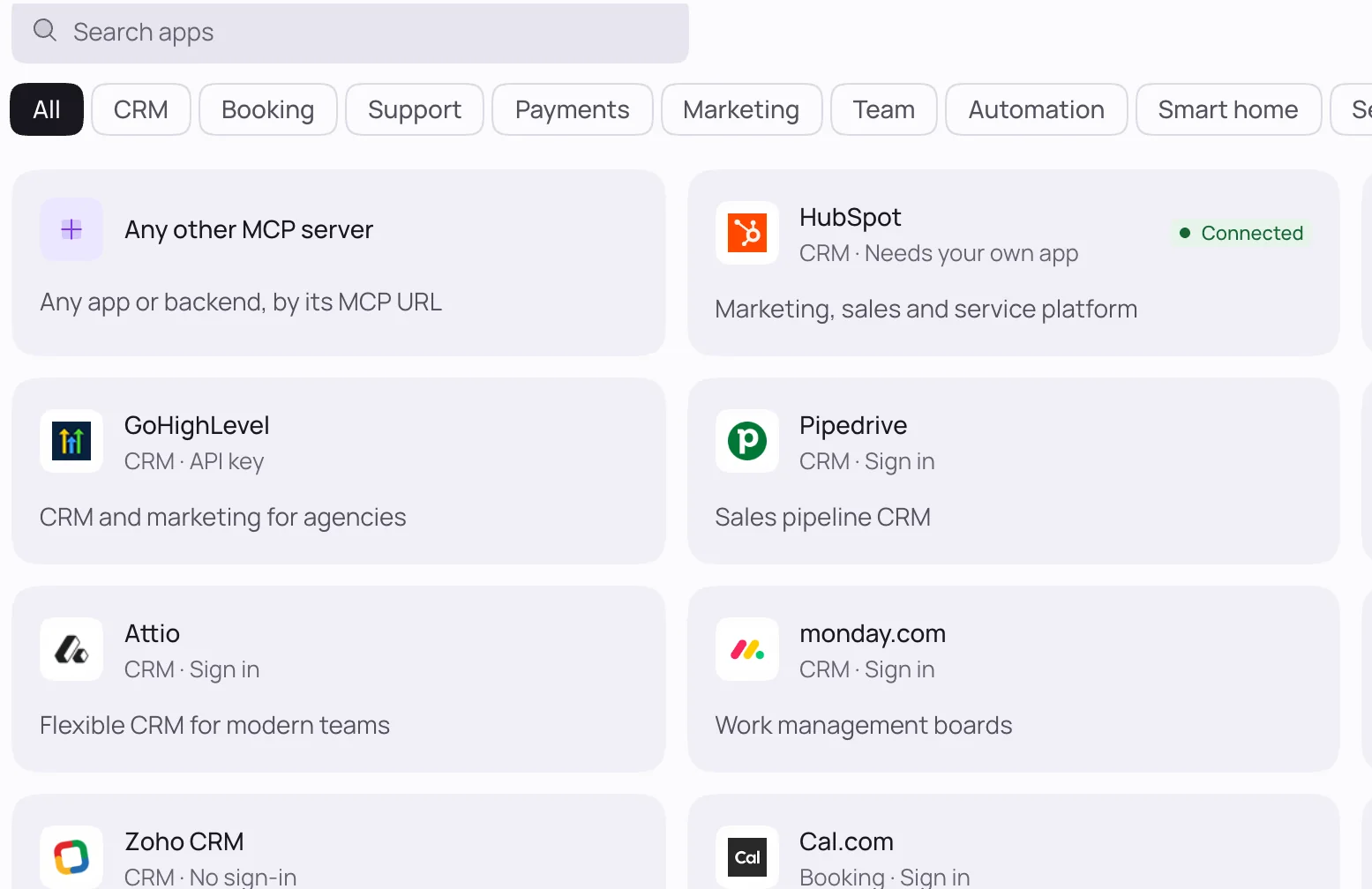
MCP appsv13.0
Connect apps with official MCP servers, such as HubSpot, Calendly, Notion and Stripe, or any MCP server by URL, and choose which of their tools the agent may use.
WhatsApp from a callv13.0
The agent can send the caller a WhatsApp message, an approved template or a scheduled reminder while they're on the phone.
WhatsApp and meetings
The same agents work beyond phone calls.
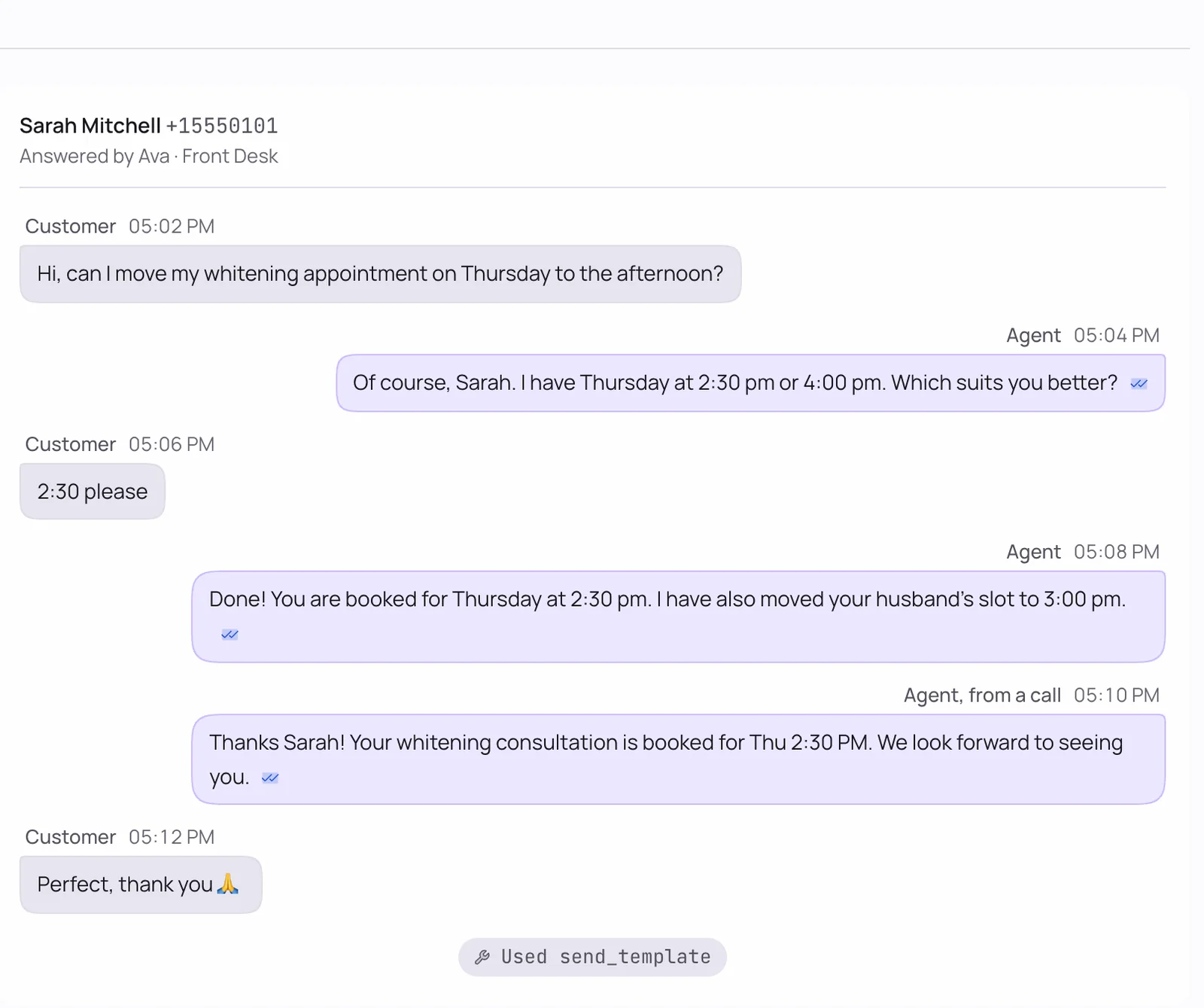
WhatsApp agentsv13.0
Connect a WhatsApp Business number and an agent answers chats and voice notes, books appointments, and sends templates, buttons and lists.
WhatsApp inbox and templatesv13.0
Every chat in one inbox. Write templates and submit them to Meta from the number's page.
WhatsApp reminders and alertsv9.0
Appointment reminders from 15 minutes to 24 hours ahead that follow reschedules, plus alerts for new leads, calls and bookings.
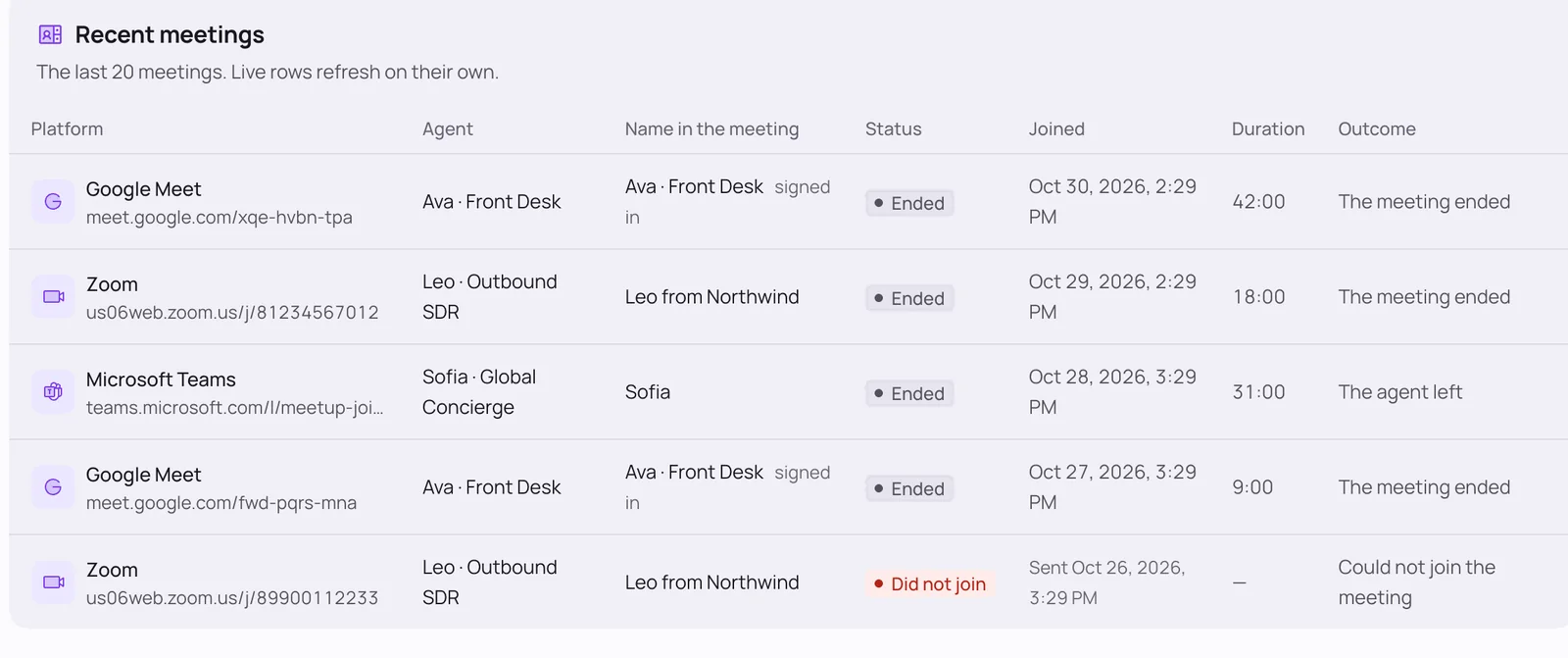
Zoom, Meet and Teams meetingsv13.0
An agent joins a meeting as a named participant, speaks when it's addressed, and the transcript lands in Call Logs.
Leads, logs and analysis
Every call is recorded, transcribed and scored.
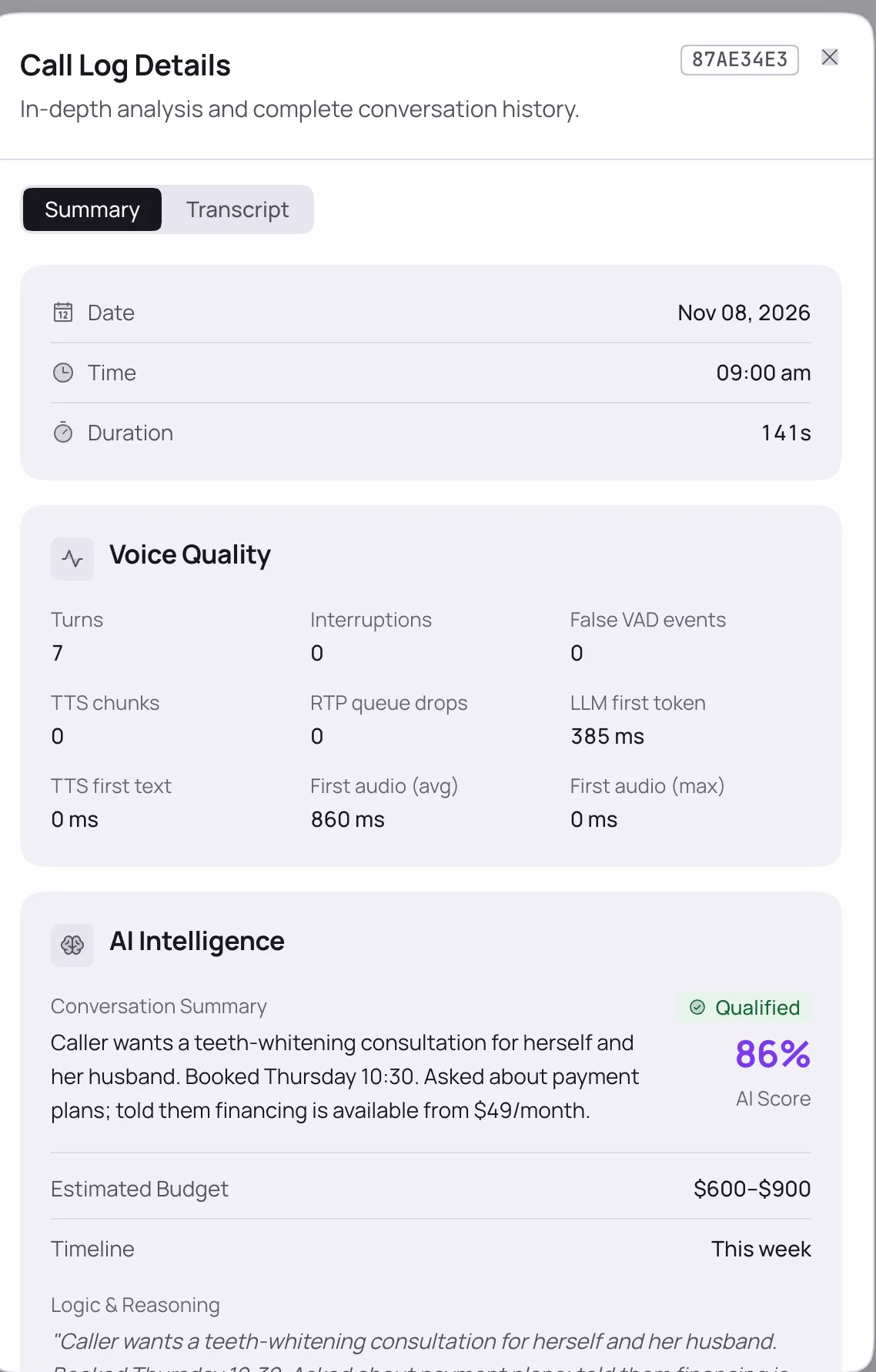
Recordings and transcripts
Every call recorded and transcribed word for word, including the part after a human transfer.
AI call analysis
Each call gets a lead score, qualification, sentiment, summary and next steps.
Leads with tags and custom fields
Import from CSV or Google Sheets, tag leads, filter by tag and add your own fields.
Clear failure reasonsv11.9
Call Logs say why a call failed: the carrier's reason, a rejected number, or an engine error.
Latency timingsv10.0
Each turn logs queue wait, LLM first token and first audio, so you can measure response times.
Email notificationsv5.0
Emails for new leads, completed calls and bookings.
Twilio or any SIP carrier
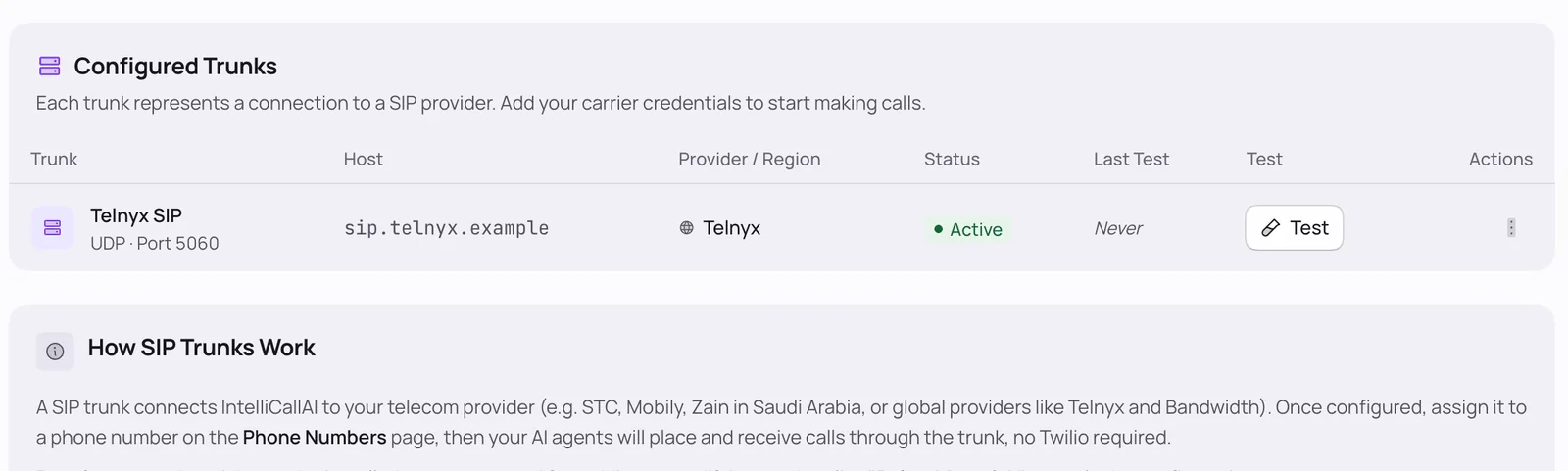
Use Twilio numbers, or any SIP carrier through the bundled Asterisk at your carrier's own rates.
Twilio numbers
Connect Twilio numbers for inbound and outbound calls.
SIP trunks on any carrier
Register any SIP provider through Asterisk, with no Twilio account needed.
Carrier optionsv10.8.2
Dial prefixes for wholesale carriers, numbers sent without the +, and automatic international formatting of lead numbers.
SIP debug panelv10.0
Health checks and live SIP logs in the dashboard, with a plain-English fix for each failed check.
SIP scanner protectionv10.0
IPs that keep dialling unknown numbers are blocked automatically.
Integrations and API
Leads, calls and bookings flow into the tools you already use.

HubSpotv8.0
Contacts sync by phone number, connected with one service key.

Google Calendar and Sheetsv8.0
Bookings sync both ways, and leads import from a sheet.

Slackv8.0
Alerts for leads, calls, bookings and campaigns.

n8nv9.5
Every platform event streams into n8n, with three ready-made workflows.
REST API and webhooksv9.5
Personal API keys, a built-in API reference with curl examples, and signed webhooks for every event.
AI and voice
Bring your own keys and pick per agent.
 OpenRouter
 Deepgram
 ElevenLabs
 Gemini
 Sarvam AI
Phone lines and meetings
Twilio, any SIP carrier, and the big three meeting apps.
 Twilio
 Zoom
 Google Meet
 Microsoft Teams
 Attendee
Payments for your SaaS
Charge your own customers for plans.
 Stripe
 Razorpay
 PayPal
 Dodo Payments
Apps agents use during a call
Official MCP servers, connected in a click. Any other MCP server works by URL.
 Salesforce
 GoHighLevel
 Pipedrive
 Close
 Attio
 Zoho CRM
 Apollo
 monday.com
 Calendly
 Cal.com
 Intercom
 Freshdesk
 Help Scout
 Gorgias
 Klaviyo
 Notion
 Linear
 ClickUp
 Airtable
 Asana
 Todoist
 Zapier
 Make
 Home Assistant
 Exa
Run it as your own SaaS
Put your brand on it, set your plans and charge for it.
Your brand everywherev6.0
App name, logos, favicon and a primary colour that recolours the whole app, set from the admin panel.
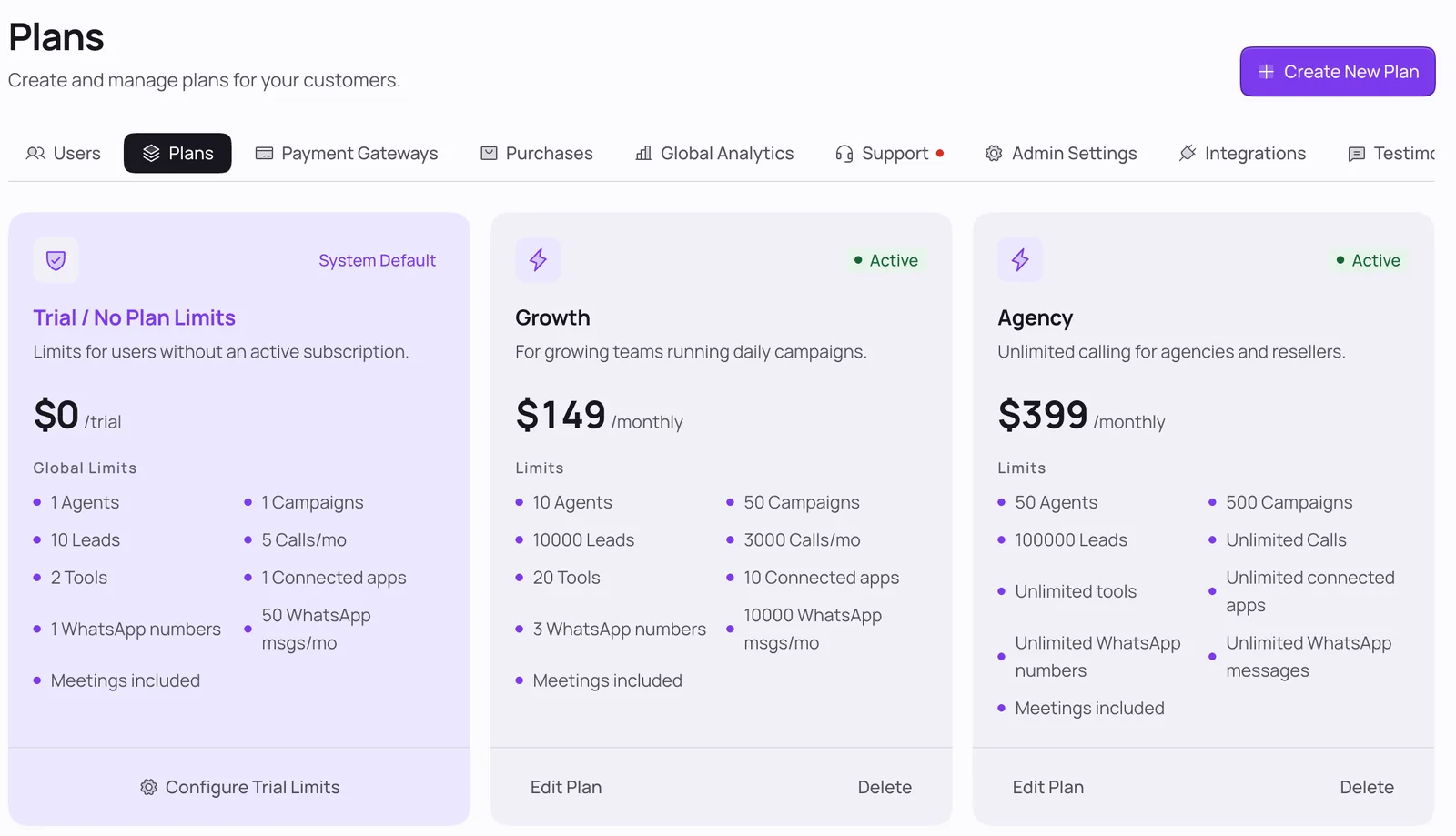
Plans and limits
Plans with limits on calls, agents, numbers, tools, connected apps and WhatsApp, plus a configurable trial.
Four payment gateways
Stripe, Razorpay, PayPal and Dodo Payments, in your choice of currency.
Admin panel
Users, plans, purchases, analytics, testimonials, support tickets and integration keys in one place.
Your own landing pagev10.0
A public site with your brand, testimonials, contact details and pricing, in light and dark.
Dashboard in five languagesv10.8
English, Spanish, French, German and Arabic with full right-to-left layout. Add a language by copying one folder.
Web installer and updatesv5.1
Install or update on your VPS from the browser, and check for new versions from the admin panel.
Buy the source code
Regular License
One-time$69
Run it for your own business or one client. End users are not charged for access.
$89 on CodeCanyon
Extended License
One-time$169
Sell access to end users as a SaaS under your own brand, with plans and payments built in.
$299 on CodeCanyon